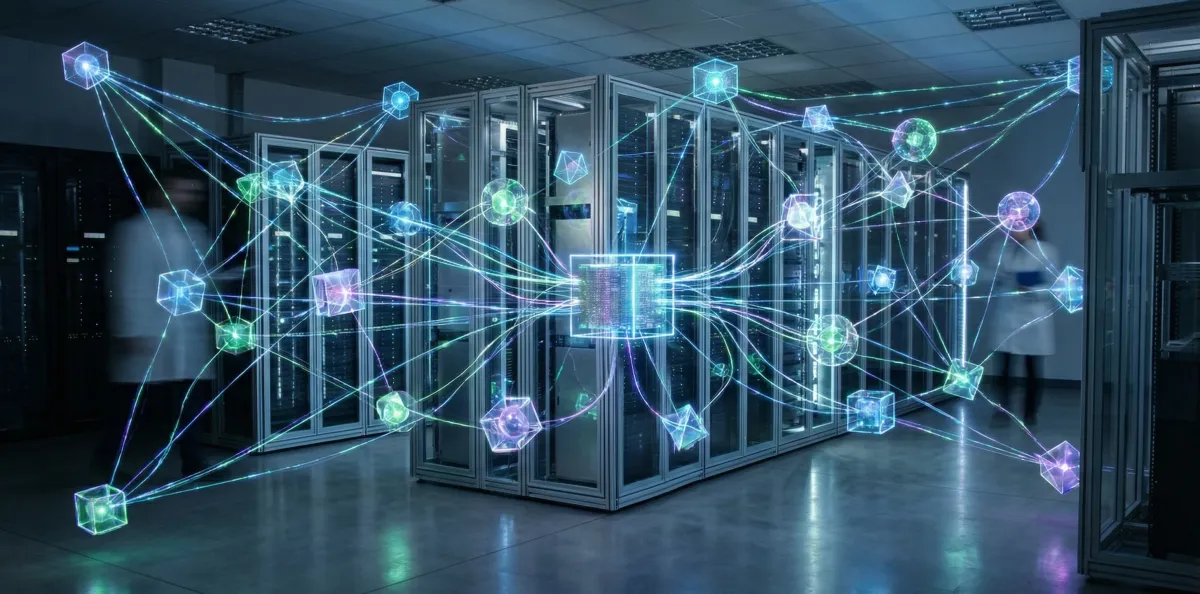
In early 2026, a Node.js-based AI assistant framework called OpenClaw—originally launched as "Clawdbot" in late 2025—exploded onto the open-source scene, rocketing past 100,000 GitHub stars and attracting millions of visitors curious about its ability to actually do things for you, not just chat.
Unlike ChatGPT, Claude, or Gemini—which live in web apps and require you to copy-paste tasks—OpenClaw runs locally on your computer or server, connects to messaging platforms like Telegram, WhatsApp, Discord, and Signal, and can autonomously execute complex multi-step tasks: browsing the web, managing your Gmail and calendar, controlling smart home devices, even handling agentic shopping.
It's the AI assistant that actually acts like an assistant. And it's causing both excitement and alarm.
What Is OpenClaw?
OpenClaw is an open-source autonomous AI agent framework developed by Peter Steinberger. At its core, it's a gateway that sits on your machine (or a VPS you control), talks to an AI model of your choice—GPT-4, Claude Opus 4.6, Gemini, or even local models—and exposes that model to your local environment and connected services.
The key difference from consumer AI products: OpenClaw has tool use and persistence. It doesn't just answer questions—it runs shell commands, reads and writes files, browses the web with browser automation, manages emails, schedules calendar entries, and integrates with 100+ platforms via plugins.
The Three Names
OpenClaw's journey to viral status involved three name changes in two weeks:
- Clawdbot (Dec 2025) — Original name, inspired by Anthropic's Claude
- Moltbot (Jan 2026) — Brief rebrand after legal concerns
- OpenClaw (Jan 2026) — Final name, emphasizing open-source nature
The rapid name changes drew attention and memes, but also signaled the project's explosive growth and the challenges of branding in the AI era.
What Can OpenClaw Do?
Users have documented OpenClaw performing real-world tasks that would previously require manual work or custom automation scripts:
- Email management — Automatically triage, summarize, draft replies, schedule send times, or delete spam
- Calendar scheduling — Parse natural language ("Schedule a meeting with John next Tuesday at 3pm") and create events
- Web research — Browse sites, extract information, summarize articles, and compile reports
- Browser automation — Fill forms, click buttons, scrape data, monitor sites for changes
- Smart home control — Turn on lights, adjust thermostats, arm security systems
- File management — Organize folders, rename files by pattern, backup data, sync to cloud storage
- Code execution — Run scripts, deploy software, manage servers
- Agentic shopping — Find products, compare prices, add to cart (with human approval)
The framework is extensible via "skills"—modular plugins that add new capabilities. Developers have created skills for stock trading, property research, weather forecasting, news summarization, and more.
How It Works: Architecture
OpenClaw consists of three main components:
1. The Gateway
A Node.js server that runs on your machine or cloud VPS. It handles authentication, message routing, tool execution, and state persistence. The gateway is the bridge between your AI model and your environment.
2. Model Integration
OpenClaw is model-agnostic. You can connect it to:
- Cloud models — OpenAI GPT-4, Anthropic Claude, Google Gemini, Mistral, Groq
- Local models — Llama 3, Mistral, or any Ollama-compatible model
- Hybrid setups — Use Claude Opus for reasoning, GPT-4 for code, local Llama for privacy-sensitive tasks
The choice of model dramatically affects capability. Pairing OpenClaw with Claude Opus 4.6's agent coordination features enables sophisticated multi-step workflows that previous models couldn't handle reliably.
3. Channel Integrations
OpenClaw connects to messaging platforms where you interact with it:
- Telegram — Most popular, supports inline buttons, file uploads, voice messages
- WhatsApp — Via WhatsApp Web API
- Discord — Runs as a bot in your server
- Signal — Privacy-focused option
- Slack, Google Chat, iMessage — Enterprise and Apple ecosystem integration
You message your AI assistant the same way you'd text a human colleague, and it executes tasks autonomously.
Why OpenClaw Went Viral
Several factors drove OpenClaw's explosive growth:
1. Timing
OpenClaw launched just as AI models reached agentic capability. GPT-4 and Claude Opus can reliably use tools, handle multi-step reasoning, and operate autonomously. Previous generations couldn't—they'd get stuck, hallucinate, or fail silently. OpenClaw arrived when models were finally good enough to be trusted with real tasks.
2. Open Source
Unlike proprietary assistants (Siri, Alexa, Google Assistant), OpenClaw is free, transparent, and self-hosted. You control your data, choose your model, and audit the code. For privacy-conscious users and developers, that's a massive selling point.
3. Community and Extensibility
The project fostered a vibrant community on Discord and GitHub. Developers contributed skills, bug fixes, and documentation. Within weeks, OpenClaw had integrations with services that took commercial assistants years to support.
4. Real Utility
People shared demos of OpenClaw actually working—not staged product videos, but real users showing how it saved them hours of manual work. That authenticity drove organic growth.
The Security Concerns
With great power comes great risk. Security researchers and cybersecurity experts have raised alarms about OpenClaw's capabilities:
1. Over-Privileged Access
OpenClaw can read your emails, access your calendar, browse as you, and execute shell commands. If the model is jailbroken or manipulated, it could leak sensitive data, delete files, or perform malicious actions.
2. Prompt Injection Attacks
An attacker could hide malicious instructions in an email, webpage, or document. When OpenClaw processes it, the injected prompt could trick the model into taking harmful actions—forwarding emails, exposing API keys, or executing code.
3. Lack of Audit Trails
Early versions of OpenClaw didn't log all actions clearly, making it hard to trace what the AI did and why. This creates accountability gaps.
4. Dependency on Closed Models
Most users run OpenClaw with cloud models (Claude, GPT-4). If those models are compromised or their training includes adversarial examples, OpenClaw inherits those vulnerabilities.
The OpenClaw team has responded by adding:
- Approval workflows — Require human confirmation for sensitive actions (deleting files, sending emails)
- Sandboxing — Isolate tool execution to limit damage from mistakes
- Logging — Comprehensive audit trails for debugging and security review
- Model validation — Test models for safety before exposing them to sensitive environments
But fundamentally, OpenClaw is a power tool. You're giving an AI access to your digital life. That requires trust, caution, and technical literacy.
Use Cases: Who's Using OpenClaw?
The OpenClaw community spans developers, power users, and early adopters willing to trade convenience for control:
- Software engineers — Automate code reviews, deployments, documentation, and issue triage
- Researchers — Summarize papers, extract data, track citations, and compile literature reviews
- Entrepreneurs — Manage email, schedule meetings, draft proposals, and monitor competitors
- Smart home enthusiasts — Voice-controlled automation that's smarter than Alexa or Google Home
- Privacy advocates — Self-hosted alternative to cloud assistants, with full data control
The Economics: Cost and Hosting
Running OpenClaw has three cost components:
1. Hosting
- Local (Mac mini, Raspberry Pi, desktop) — $0/month, limited by hardware
- Cloud VPS (DigitalOcean, Linode, AWS) — $5-20/month for basic setup
- Dedicated server — $50-200/month for high-performance workloads
2. AI Model API Costs
- Claude Opus 4.6 — $15/$75 per 1M tokens (input/output)
- GPT-4 Turbo — $10/$30 per 1M tokens
- Gemini Pro — $1.25/$5 per 1M tokens
- Local models (Llama, Mistral) — $0, but requires GPU (RTX 4090 or better)
3. Third-Party Integrations
- Email, calendar, storage — Usually free (Gmail, Google Calendar, Dropbox)
- Smart home APIs — $0-10/month depending on service
- Browser automation — Free (Playwright, Puppeteer)
Total estimated monthly cost: $5-50 for most users, depending on usage patterns and model selection.
What's Next for OpenClaw?
The project roadmap includes:
- Mobile apps — iOS and Android clients for on-the-go interaction
- Better onboarding — Simplified setup for non-technical users
- Enterprise features — Multi-user support, role-based access, compliance tooling
- Marketplace — Curated skill repository with ratings and security audits
- Model fine-tuning — Train custom models for specific workflows
The biggest challenge is striking the balance between power and safety. OpenClaw will always be a tool for technical users, but the team wants to make it accessible without compromising security.
The Broader Trend: Open-Source AI Infrastructure
OpenClaw is part of a larger shift toward open-source AI infrastructure. As foundation models become commodities, the value is shifting to the orchestration layer—how you deploy, integrate, and operationalize AI.
Projects like LangChain, AutoGPT, and now OpenClaw represent the community's answer to proprietary platforms. They're messy, risky, and powerful—and they're defining how the next generation of AI assistants will work.
If you're comfortable with the command line and willing to accept the risks, OpenClaw is the most capable personal AI assistant available today. If you're not, wait a year—it'll be polished, safer, and easier to use.
Or maybe by then, the commercial assistants will have caught up. But for now, OpenClaw is leading the charge. 🦞
Related Articles

The Autonomous Warfare Revolution: How AI-Powered Military Drones Are Reshaping Defense in 2026
Pentagon's $1.1B program aims to deploy 300,000+ autonomous drones by 2027 as AI transforms modern warfare.
Claude Opus 4.6: Anthropic's Most Capable AI Model Can Now Coordinate Agent Teams
Claude Opus 4.6 with 1M context and agent coordination. The AI model powering advanced OpenClaw deployments.
Anthropic's Model Context Protocol Becomes the "USB-C for AI"
Anthropic donated MCP to Linux Foundation. The protocol enabling tool use in agentic AI systems.

AI-Powered Virtual Staging: How Machine Learning Is Transforming Real Estate Marketing
AI virtual staging reduces costs by 95% and delivers results in hours. Platforms like RealEstage.ai democratize professional staging.